
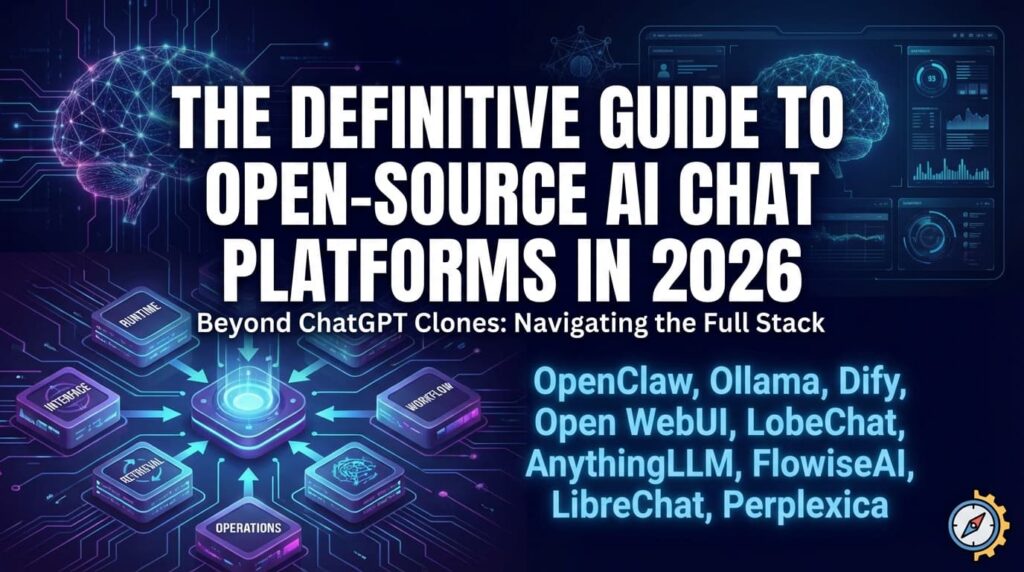
The category for open-source AI chat platforms has matured quickly. What used to be a simple “ChatGPT clone” decision is now a stack decision: runtime, interface, workflow orchestration, retrieval quality, multi-user controls, and ongoing operations. In practice, teams now choose a combination of tools, not a single tool.
This guide covers 9 major platforms used in self-hosted AI deployments: OpenClaw, Ollama, Dify, Open WebUI, LobeChat, AnythingLLM, FlowiseAI, LibreChat, and Perplexica. The goal is pragmatic: help you pick the right tool for your workload, then deploy it reliably with minimal friction.
Table of Contents
- Quick Comparison
- Platform Deep Dive
- Recommended Stack Patterns
- How to Choose the Right Platform
- Deploying on Dublyo (Terms-Aligned)
- FAQ
- References
Quick Comparison
| Platform | Best for | Core strength | Typical role in stack |
|---|---|---|---|
| OpenClaw | Autonomous task execution | Agent actions across channels and tools | Automation/agent layer |
| Ollama | Local model inference | Simple local LLM runtime and API | Model runtime foundation |
| Dify | Production AI apps | Workflow + app-building platform | LLMOps and workflow layer |
| Open WebUI | Self-hosted AI interface | Comprehensive multi-model chat UI | User-facing chat frontend |
| LobeChat | Polished multi-provider chat | Strong UX + broad provider support | User-facing chat frontend |
| AnythingLLM | Document chat + RAG workspaces | Practical workspace-based knowledge chat | RAG application layer |
| FlowiseAI | Visual flow building | Drag-and-drop orchestration | Prototype/workflow layer |
| LibreChat | Enterprise-style chat portal | Strong chat UX + admin controls | Internal AI portal |
| Perplexica | Search-first assistant | Citation-style answer workflow | Research/search layer |
All 9 are active projects with public repositories and documentation.[1][3][5][7][9][11][13][15][17]
Platform Deep Dive
OpenClaw
OpenClaw is the most agent-centric tool in this list. It is designed for action-oriented assistant workflows rather than basic question-answer chat. If your goal is to let AI perform real tasks with controlled permissions, OpenClaw is one of the strongest candidates.[1][2]
Use it when: you need autonomous workflows and can enforce strict guardrails, sandboxing, and audit controls.
Avoid it when: your team primarily needs a stable, simple chat UI with minimal operational risk.
Ollama
Ollama is infrastructure, not a full chat platform. Its role is to run local models and expose a clean developer API. In many self-hosted stacks, Ollama is the model engine underneath Open WebUI, LobeChat, or AnythingLLM.[3][4]
Use it when: you need local inference control, privacy, and model flexibility.
Avoid it when: you expect it to provide complete team-facing UX on its own.
Dify
Dify is one of the most complete open-source options for building production LLM applications. It is workflow-first, making it useful for teams shipping internal copilots, support assistants, and domain-specific tools.[5][6]
Use it when: you need orchestration, app logic, and repeatable production flows.
Avoid it when: you only need a lightweight chat interface without workflow complexity.
Open WebUI
Open WebUI is a broad self-hosted AI interface that works well as an internal AI front door. It is commonly chosen for teams that want a single place to access multiple model backends and assistants.[7][8]
Use it when: you need a feature-rich self-hosted chat experience quickly.
Avoid it when: you want a narrowly scoped, minimal interface with fewer controls.
LobeChat
LobeChat is known for UI quality and broad provider compatibility. It is a good fit for teams where user adoption and interface quality matter as much as backend flexibility.[9][10]
Use it when: you want polished UX and multi-provider access in one chat product.
Avoid it when: you prefer highly minimal interfaces or deeply custom internal workflows.
AnythingLLM
AnythingLLM is strong for document-centric use cases and practical workspace segmentation. If your primary requirement is “chat with internal docs,” it is a serious contender.[11][12]
Use it when: document ingestion and RAG are core to your product or team workflows.
Avoid it when: you need workflow orchestration at the same depth as Dify or Flowise.
FlowiseAI
FlowiseAI is the fast visual builder in this set. It is often the easiest way to prototype tool-calling and multi-step chains without writing orchestration code first.[13][14]
Use it when: you need quick iteration and visual experimentation.
Avoid it when: your team requires strict software-engineering controls from day one.
LibreChat
LibreChat is a practical choice for organizations that want ChatGPT-style interaction with self-hosted deployment control. It is commonly selected for internal team portals and multi-provider access.[15][16]
Use it when: you need broad provider support and familiar chat behavior for teams.
Avoid it when: your primary need is agent workflow orchestration rather than chat UX.
Perplexica
Perplexica is search-first. It shines when your workflow is “find sources, synthesize, and cite,” which is different from standard assistant chat interaction.[17]
Use it when: your users need source-grounded search-style answers.
Avoid it when: your core requirement is app-building workflows or enterprise portal controls.
Recommended Stack Patterns
- Local-first chat stack: Ollama + Open WebUI
- Production workflow stack: Dify + Ollama (or external model APIs)
- Document assistant stack: AnythingLLM + Ollama
- Rapid prototyping stack: FlowiseAI + Ollama
- Research-oriented stack: Perplexica + Ollama
How to Choose the Right Platform
Use this five-question filter before committing:
- Do you need a chat UI, an agent system, or a workflow builder?
- Do you require local inference, external APIs, or both?
- Is your main value document/RAG quality or general conversation?
- How much operational complexity can your team realistically absorb?
- Do you need multi-user controls, auditability, and policy enforcement now?
If you cannot answer these clearly, start with a minimal stack and run a 2-week pilot on real use cases. Most failed AI platform rollouts are selection failures, not model failures.
Deploying on Dublyo (Terms-Aligned)
Dublyo can simplify deployment for these platforms through template-driven VPS hosting workflows.[18][19] The terms model is important:
| Area | Dublyo role | User role |
|---|---|---|
| Software source | Provides deployment templates and infrastructure workflow | Selects and runs upstream software/images |
| Software distribution | Not a distributor/packager of third-party apps | Accepts each third-party license and usage terms |
| Operations | Helps with provisioning, deploy flow, SSL/domain tooling | Owns app operation, compliance, and data responsibilities |
That means Dublyo is a hosting/deployment platform for VPS workloads, while software rights and obligations remain with original publishers and your usage decisions.[20]
Deploy an AI chat platform on Dublyo
FAQ
What is the best open-source AI chat platform in 2026?
There is no universal winner. Dify is strong for production workflows, Open WebUI/LobeChat for chat UX, AnythingLLM for document-driven RAG, and Ollama for local runtime infrastructure.
Which platform should I use for local models?
Start with Ollama as runtime, then pair it with Open WebUI, LobeChat, or AnythingLLM depending on interface and workflow needs.
Which option is best for enterprise internal assistants?
A common path is LibreChat or Open WebUI for user interface, plus Dify when you need deeper workflow orchestration and app logic.
Is Perplexica a ChatGPT replacement?
Not exactly. It is better understood as a self-hosted search-and-citation assistant rather than a general-purpose conversational workspace.
Can I deploy all of these easily without deep DevOps?
Yes. Template-based deployment platforms can reduce setup time significantly, but you still need to own security, policy, and software-license compliance.
References
- OpenClaw GitHub
- OpenClaw documentation
- Ollama GitHub
- Ollama site/docs
- Dify GitHub
- Dify documentation
- Open WebUI GitHub
- Open WebUI documentation
- LobeChat GitHub
- LobeHub documentation
- AnythingLLM GitHub
- AnythingLLM documentation
- FlowiseAI GitHub
- FlowiseAI documentation
- LibreChat GitHub
- LibreChat documentation
- Perplexica GitHub
- Dublyo
- Dublyo documentation
- Dublyo Terms of Service