
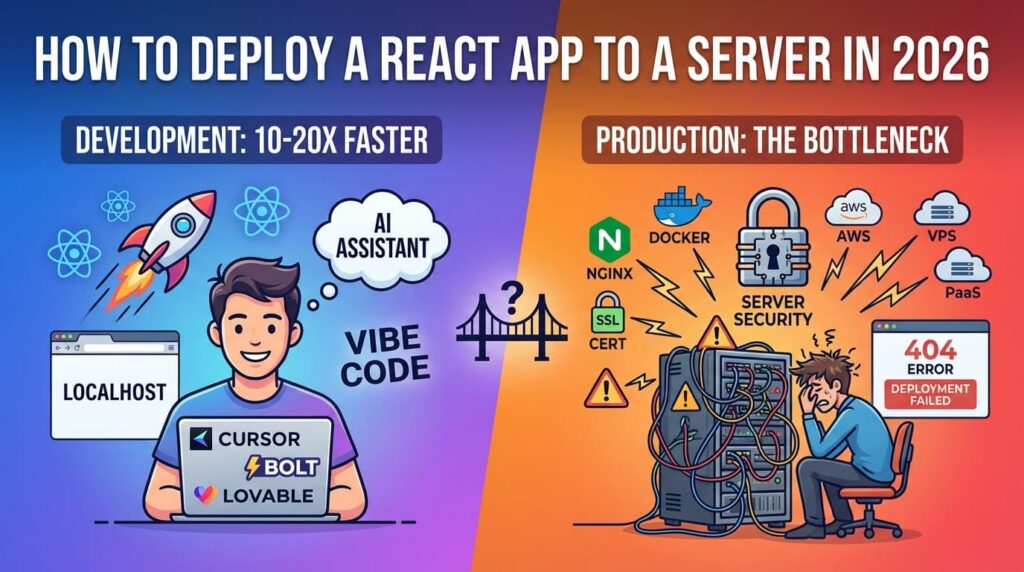
Building React apps got much faster in the AI coding era. Deploying them did not. Teams can scaffold features in minutes, but production still fails on the same old issues: routing 404s, SSL setup, bad environment handling, DNS mistakes, and surprise billing.
That friction is not anecdotal. Stack Overflow’s 2024 Developer Survey results highlight deployment-stack complexity as one of the biggest day-to-day frustrations for developers.[1] If your app is “done” but not live, this guide is for you.
This is a practical deployment guide focused on 2026 realities: AWS options, VPS paths (DigitalOcean and Hetzner), and PaaS shortcuts. It also includes a deployment decision framework so you can choose based on your team’s skill level, budget, and speed requirements.
Table of contents
- Quick answer: best deployment path by use case
- Before you deploy: non-negotiable React production checks
- AWS deployment paths (Amplify, S3 + CloudFront, EC2, Elastic Beanstalk)
- VPS deployment paths (DigitalOcean and Hetzner)
- PaaS shortcut for fast shipping (Dublyo)
- Deploying from VS Code/Cursor workflow
- Most common React deployment failures (and fixes)
- Which option should you choose in 2026?
- FAQ
- References
Quick answer: best deployment path by use case
| Your situation | Best first option | Why |
|---|---|---|
| You want the fastest AWS path with CI/CD | AWS Amplify Hosting | Repo connect + managed deploy pipeline + built-in SSL/CDN pricing model.[2] |
| You want low-cost static hosting on AWS | S3 + CloudFront | Strong static-hosting economics with global delivery and free-tier allowances.[3][4] |
| You need full server control | EC2 + Nginx | Maximum flexibility, but more setup and ops responsibility.[5] |
| You want simple VPS and low ops overhead | DigitalOcean Droplet | Straightforward UX and predictable baseline experience.[6] |
| You optimize heavily for raw price/performance | Hetzner Cloud | Very aggressive resource pricing and high included traffic quotas.[7] |
| You want one-click deployment without deep DevOps | Dublyo | PaaS flow with 4 providers and server-cost model from $4.60/month.[8][9] |
Before you deploy: non-negotiable React production checks
1) Build a production artifact, not a dev server
For Vite-based React apps, the production flow starts with vite build, which outputs an artifact designed for static hosting.[10] You should deploy dist/ (or your configured output directory), not your local dev runtime.
2) Handle SPA routing correctly
Single-page apps must route unknown URLs back to your app shell (index.html). React Router explicitly calls this out: direct all URLs to index.html for SPA mode.[11] If you skip this, deep links like /dashboard will 404.
3) Validate server fallback behavior
On Nginx-based setups, use try_files fallback rules so missing files fall back to your SPA entry point.[12] This is the most common production routing miss on VPS/EC2.
4) Keep environment variable strategy explicit
Most React/Vite environment variables are injected at build time, not runtime. Plan this before deployment. If you need runtime config switching, design for it explicitly (for example via server-injected config JSON).
AWS deployment paths (Amplify, S3 + CloudFront, EC2, Elastic Beanstalk)
A) AWS Amplify Hosting: fastest managed AWS route
Amplify is typically the quickest AWS route for frontend teams because it bundles deployment workflow, CDN delivery, and SSL into a managed experience.[2]
Typical workflow:
- Connect GitHub repo
- Set build settings
- Deploy
- Auto-redeploy on push
What pricing looks like (official signals):
- Build: standard instance billed at $0.01/min after included allowance[2]
- Data transfer out: $0.15/GB after included allowance[2]
- AWS example scenario shows about $8.08/month for a small active app profile[2]
Best for: teams who want AWS-native CI/CD with minimal infrastructure management.
Main tradeoff: cost scales with usage and can become significant at higher traffic.
B) S3 + CloudFront: strong static delivery economics
For static React SPAs, S3 + CloudFront remains one of the best AWS patterns when configured correctly.[3][4]
Why teams choose it:
- S3 handles static object storage
- CloudFront handles edge delivery and caching
- CloudFront pay-as-you-go includes always-free monthly allowances (for example 1 TB DTO and 10M HTTP(S) requests)[4]
Critical React SPA gotcha: if deep links return 403/404 from origin, configure CloudFront custom error behavior to return your SPA entry page instead.[13]
Main tradeoff: setup is less “one-click” than Amplify and requires correct CDN error/route handling.
C) EC2 + Nginx: full control, highest ops burden
EC2 gives maximum flexibility: custom OS, custom Nginx, custom process management, custom networking. It also gives you all the operational burden that comes with that flexibility.[5]
What usually takes time:
- SSH access and key management
- Nginx and routing fallback rules
- TLS setup and renewals
- Firewall/security group and networking setup
AWS costs people underestimate on EC2 stacks:
- Public IPv4 addresses are billed (in-use and idle examples shown in AWS VPC pricing docs)[14]
- NAT Gateway has hourly + data processing charges (example rate shows $0.045/hour + $0.045/GB in listed region example)[14]
- Route 53 hosted zones are $0.50/zone/month for first 25 zones[15]
- Internet egress and transfer charges accumulate as traffic grows[5]
Best for: teams needing tight infrastructure control or custom network topology.
Main tradeoff: slowest path to reliable production for most small teams.
D) Elastic Beanstalk: not ideal for simple React SPA hosting
AWS states there is no additional Elastic Beanstalk platform fee, but you still pay for underlying AWS resources (EC2, ELB, etc.).[16] For frontend-only React apps, this is often more moving parts than necessary.
VPS deployment paths (DigitalOcean and Hetzner)
DigitalOcean: easier VPS onboarding for many developers
DigitalOcean is a common VPS default because docs, UX, and workflow are straightforward. Droplets page positions entry plans at $4/month and highlights a 99.99% SLA messaging for droplets.[6]
Two practical choices:
- Droplet + Nginx: full VPS approach (more control, more ops)
- App Platform: managed deploy flow, free static tier options and paid plans starting at $5/month[17]
DigitalOcean App Platform currently documents free static-site capacity for up to 3 static apps with 1 GiB allowance per app and paid plans starting at $5/month.[17]
Hetzner Cloud: top value for cost-sensitive teams
Hetzner Cloud remains one of the strongest value options for raw VPS resources. The pricing page highlights plans such as CX23 and large included traffic allowances (for many EU plans, 20 TB included traffic is shown).[7]
Best for: Linux-comfortable builders focused on maximum performance per dollar.
Main tradeoff: fewer managed abstractions than turnkey PaaS flows.
PaaS shortcut for fast shipping (Dublyo)
If your bottleneck is deployment complexity, not coding speed, Dublyo is built for that exact gap.
Dublyo’s current positioning is: pick server, pick app/repo, one-click deploy, and go live with SSL and domain setup flow included.[8] It also documents provider options across Hetzner, Vultr, DigitalOcean, and OneProvider.[9]
Key details from public Dublyo pages/docs:
- Starting plans from $4.60/month, with Standard listed at $8.20/month[8]
- 100+ pre-configured templates and GitHub deployment path[8]
- One-click deployment messaging with under-2-minute go-live claim[8]
- 99.9% uptime messaging on main/WordPress pages[8][18]
Why this matters for React deployment: you avoid hand-rolling Nginx, SSL, and server bootstrap steps for every new app while keeping a server-based cost model for multi-app portfolios.
How the pricing model differs from per-app platforms
Managed frontend platforms are excellent for speed, but billing behavior differs a lot once you run multiple apps and environments. Official pricing pages for Vercel, Railway, Netlify, Render, and Heroku show plan structures that can scale by seats, services, runtime, or usage.[20][21][22][23][24]
That does not make those platforms worse. It just means you should model cost shape before committing:
- How many apps/services will run in 3-6 months?
- Will you pay per seat, per service, or per server?
- Will preview environments and background workers increase monthly baseline?
- Are free-tier constraints (for example sleep behavior) acceptable for your use case?[25]
Deploying from VS Code/Cursor workflow
For teams that still deploy to VPS manually, remote editor workflow can speed operations significantly.
VS Code Remote-SSH lets you open remote folders and work directly on remote hosts with extensions and terminal support.[19] A simple flow is:
git pullon remotenpm ciornpm installnpm run build- sync build output to served directory
sudo nginx -tand reload
Cursor users can use similar SSH-based workflows, but the most stable and best-documented baseline remains the VS Code Remote-SSH path.
Most common React deployment failures (and fixes)
1) Deep links return 404/403
Cause: Host tries to resolve URL as file path.
Fix: Configure SPA fallback to index.html (CloudFront custom errors, Nginx try_files, host-specific redirects).[11][12][13]
2) HTTPS works intermittently
Cause: DNS not fully propagated or certificate mismatch.
Fix: verify DNS target, CNAME/A records, and certificate issuance status before cutting traffic.
3) Builds succeed locally but fail in CI
Cause: environment mismatch, lockfile drift, memory limits.
Fix: pin Node version, use deterministic installs, mirror CI env vars locally.
4) Costs spike unexpectedly
Cause: hidden network and idle infra charges.
Fix: review IPv4, NAT, DNS zones, and transfer billing monthly on AWS.[14][15]
Which option should you choose in 2026?
Use this simple decision framework:
- You are solo or a small startup, need speed, and want minimal ops: start with Dublyo or another managed PaaS path.
- You need strict AWS alignment and managed CI/CD: start with Amplify.
- You need lowest-level control: choose EC2 or VPS.
- You only host static frontend and want low ops: S3 + CloudFront or a static hosting platform.
Practical recommendation for most builders in 2026: deploy your first production version on the simplest reliable path, then optimize infra later. Shipping beats perfect architecture when you are still finding product-market fit.
FAQ
What is the easiest way to deploy a React app in 2026?
For most teams: managed platforms like Amplify, App Platform, Netlify, Vercel, or Dublyo. If you need custom server behavior, move to VPS or EC2.
What is the cheapest way to host a React SPA?
Usually static hosting paths (S3 + CloudFront, static site platforms, or low-cost VPS) depending on traffic and egress profile. Check transfer pricing before deciding.[3][4]
Is EC2 overkill for React frontend-only apps?
Often yes, unless you specifically need custom infrastructure control, custom reverse proxy logic, or unified hosting with backend services.
Why do React routes break after deployment?
Because server/CDN routing defaults don’t automatically behave as SPA routing. Configure fallback to index.html on unknown routes.[11]
Where does Dublyo fit in this landscape?
Dublyo is a low-cost PaaS option for teams that want one-click deployment and multi-provider flexibility without building DevOps workflows from scratch.[8][9]
Try deploying your React app on Dublyo
References (checked February 21, 2026)
- Stack Overflow: 2024 Developer Survey results summary
- AWS Amplify Hosting pricing
- Amazon S3 pricing
- Amazon CloudFront pay-as-you-go pricing
- Amazon EC2 On-Demand pricing
- DigitalOcean Droplets
- Hetzner Cloud pricing
- Dublyo homepage and pricing highlights
- Dublyo docs (providers and deployment workflow)
- Vite: building for production
- React Router SPA guide
- NGINX
try_filesdirective - CloudFront custom error responses
- Amazon VPC pricing (NAT Gateway and public IPv4 examples)
- Amazon Route 53 pricing
- AWS Elastic Beanstalk pricing
- DigitalOcean App Platform pricing
- Dublyo WordPress page (uptime and multi-cloud messaging)
- VS Code Remote-SSH documentation
- Vercel pricing
- Railway pricing
- Heroku usage and billing
- Netlify pricing
- Render pricing
- Render free tier limitations