
What this error means
Something went wrong with your deploy? Find the message you see below. Each entry says what it means, what to do, and what you can paste to your AI coding tool.
The build log and the app's Logs tab show the details. When you ask your AI tool for help, paste the last lines of the log too.
Build errors
No start command
What it means: your project doesn't say how to start the app.
What to do: add a start command. For Node.js, this is a start script in package.json. Flask apps also need one.
Project needs a newer Node, PHP or Gradle
What it means: your project needs a newer version of its tools than the automatic builder has.
What to do: Dublyo already tries a second builder automatically. If that also fails, add a Dockerfile (a small recipe file that says how to build and start your app). See If your app won't build.
Branch not found
What it means: the branch you chose no longer exists on GitHub, or its name changed.
What to do: pick an existing branch and deploy again.
Monorepo folder not found
What it means: the Root directory you entered does not exist in your repo.
What to do: check the folder name on GitHub and correct it, for example apps/web. If your app is not in a subfolder, leave the field empty.
Server still being set up
What it means: your server is not ready yet. A new server takes about 2–4 minutes.
What to do: wait until the server is ready, then deploy again.
Waiting and time limits
Build waiting in queue
What it means: up to three builds run at once. Yours waits for a free slot.
What to do: nothing. You see its place in the queue, and it starts by itself.
Build stopped after 10 minutes
What it means: a build can run for at most 10 minutes. Yours took longer and was stopped.
What to do: look at the build log to see which step was still running. Then make the build lighter, for example by removing packages the app doesn't use.
App built, but not answering
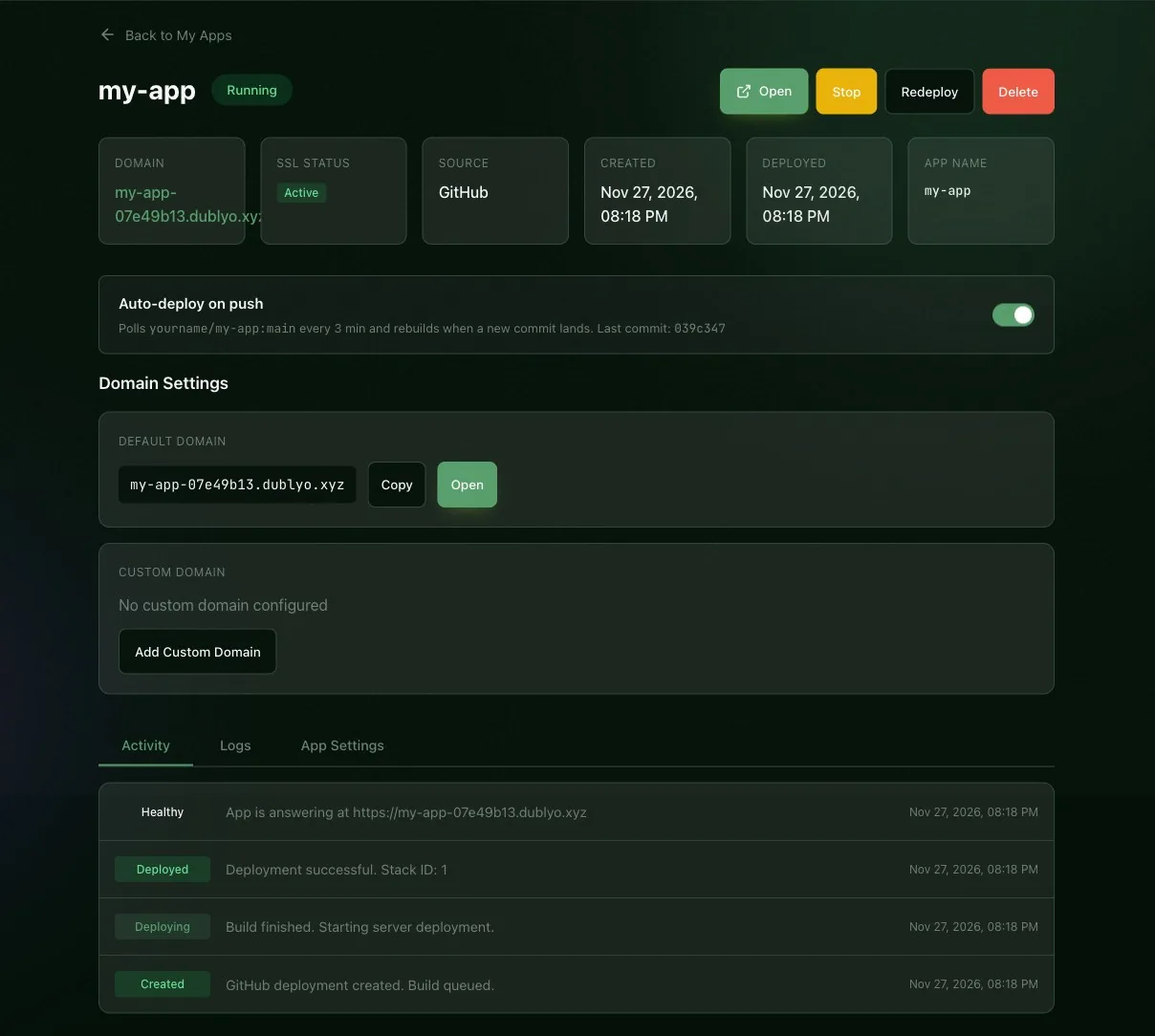 A healthy app shows "App is answering" in the Activity tab. Warnings appear in the same place.
"Not answering on port N"
What it means: your app started, but it is not listening on the port Dublyo expects. A port is the "door number" your app listens on.
What to do: Dublyo gives your app a PORT environment variable (3000 by default). Make the app listen on it. Or enter the port your app really uses in the Port field.
"Keeps stopping right after it starts"
What it means: your app crashes as soon as it starts.
What to do: open the Logs tab. Often a setting is missing, such as database details or an API key. Add it under environment variables (settings and secrets your app reads when it runs), then redeploy. Django apps need their database variables to start. See Connect your app to a database.
Custom domain not active yet
What it means: Dublyo cannot see your domain's DNS record yet.
What to do: check these points at your domain provider:
- There is a CNAME record (a DNS setting that points your domain to another address) for your domain.
- It points to
customers.dublyo.co. - It is set to "DNS only" (not proxied).
A domain usually becomes active in about 2–10 minutes. If your DNS provider doesn't allow a CNAME on the root domain, use www, or a provider that supports CNAME flattening. More in Custom Domains.
If your app won't build
When the automatic builders can't build your app, a Dockerfile usually solves it. If your repo has one, Dublyo always uses it.
- Ask your AI tool: "Write a Dockerfile for this app. It must listen on the PORT environment variable."
- Or use the AI Dockerfile writer: an optional, paid Dublyo feature. It costs 15 credits for a public repo and 20 credits for a private repo.
Need Help?
Can't find what you're looking for? Check the full documentation or reach out.